
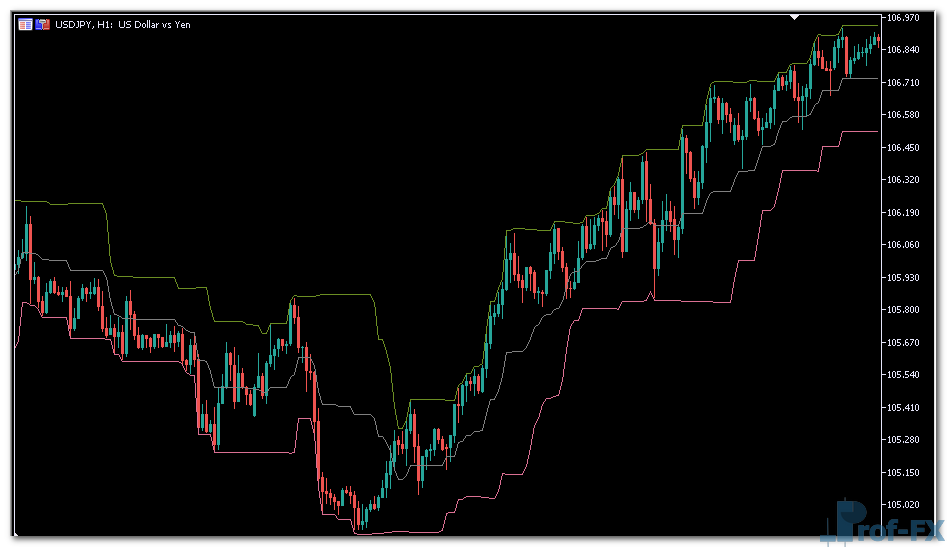
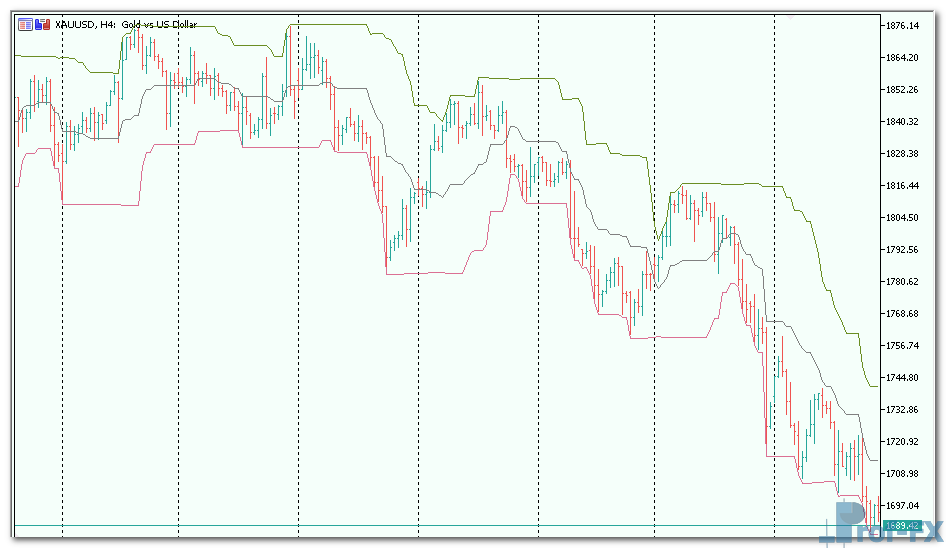
Donchian Channels

Donchian Channels mt5 indicator
Donchian Channels mt5 indicator Donchian Channels mt5 indicator

How To Install Metatrader Donchian Channels indicator

  1. Download and save the “Donchian Channels indicator” to your desktop or any other folder located on your computer.
  2. Open your Metatrader 5 platform.
  3. Choose “File” then “Open Data Folder” (Ctrl + Shift + D) on your Metatrader 5 platform.
  4. Explore the following folder: MQL5 > Indicators.
  5. Copy and paste the “Donchian Channels indicator” into this folder.
    Tip: Create subfolders inside the main MT5 Indicators folder to help keep your indicators better organized.
  6. Restart your Metatrader 5.
  7. MT5 custom indicators are stored by default in the custom indicator folder.
    To access these indicators, go to Top Menu > Insert > Indicators > Custom
  8. In order to add a custom indicator to any of your Metatrader 5 charts, you will need to select a forex chart with one mouse click, then go to Top Menu > Insert > Indicators > Custom > click the “Donchian Channels” indicator.
  9. Done!

See a complete guide How To Install Metatrader 5 Custom Indicators

Free Download Donchian Channels indicator for Metatrader 5

  • donchian-channels.zip
  • Size: 43.8 kb
  • Platform: MT5 | Format: .mql5/.ex5 | File: dir4mt5 | Request Remove!
Forex Advertising rectangle - headway
Forex Advertising Package
Gravatar Image
FX Script is a collective of skilled forex traders with extensive knowledge of MetaTrader indicators. Known for their expertise, they regularly contribute to Prof FX, offering practical trading tips and advanced strategies to guide traders towards success in the forex market.

Leave a Reply

Your email address will not be published. Required fields are marked *

Key Components of Currency Valuation

If you look at a dollar bill and think about its intrinsic value, you realize that it’s just a piece

Top 5 Reasons Backtesting Is The Ultimate Skill

“I’m close to going live with my system! It works perfectly!” – “Great! Have you backtested your system?” “What’s backtesting?”

Use Moving Averages (MA)

Moving Averages (MA’s) are one of the most used technical indicators in forex. They smooth currency price data over a

Reversal Trading 5 Pratical Entry
by James K. - Aug 20 | in Technical Forex

Is this a good enough signal to enter this trade? If you’ve been trading for more than a week, you’ve

Monitor Forex Market 24 Hours Cycle

Monitoring what is happening throughout the day in the Forex market is much more difficult than monitoring what is happening

Retail Sales Report - Forex Calendar

Retail sales announcements report on how much money individual consumers are spending on retail goods. This is where the rubber

What is a Drawdown in Forex Trading

In trading, drawdown refers to the decline in account equity from a peak to a subsequent low. It is an

Chinese Yuan Currency

The Chinese yuan (CNY) is considered to be an exotic currency in the Forex market. The most important thing you need