
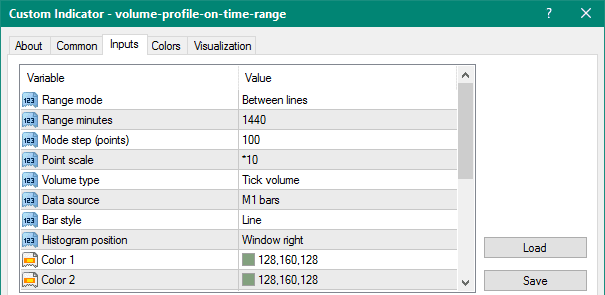
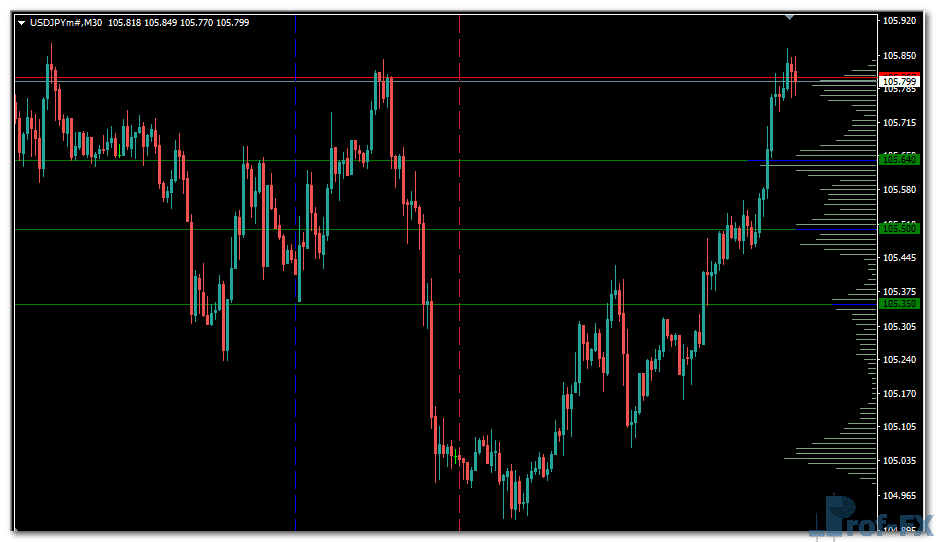
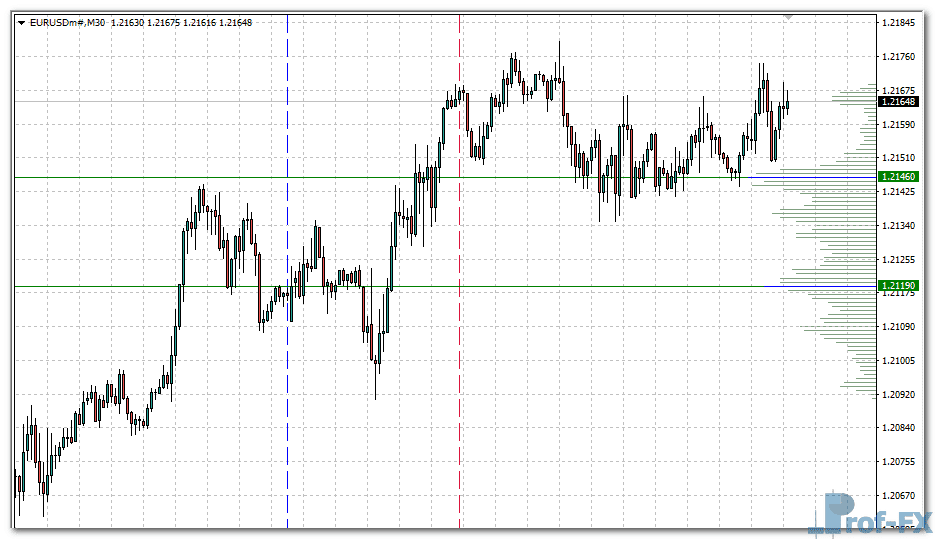
Volume Profile on Time Range

Volume Profile on Time Range metatrader 4
Volume Profile on Time Range metatrader 4 Volume Profile on Time Range metatrader 4

How to Instal “Volume Profile on Time Range” Indicator for Metatrader 4

  1. Open your Metatrader 4 platform.
  2. Download and save the “Volume Profile on Time Range” indicator to your desktop or any other folder located on your local computer.
  3. Choose “File” then “Open Data Folder” (Ctrl + Shift + D) on your Metatrader 4 platform.
  4. Explore the following folder: MQL4 > Indicators.
  5. Copy and paste the “Volume Profile on Time Range” indicator into this folder.
  6. Restart Metatrader 4.
  7. “Volume Profile on Time Range” indicators are stored by default in the custom indicator folder.
  8. To access these indicators, go to Top Menu > Insert > Indicators > Custom.
  9. In order to add a “Volume Profile on Time Range” indicator to any of your Metatrader 4 charts, you will need to select a forex chart with one mouse click, then go to Top Menu > Insert > Indicators > Custom > click the “Volume Profile on Time Range”.
  10. Done!

See a complete guide How To Install Metatrader 4 Custom Indicators

Free Download Volume Profile on Time Range indicator for Metatrader 4

  • volume-profile-on-time-range.zip
  • Size: 32.8 kb
  • Platform: MT4 | Format: .mql4/.ex4 | File: dir8mt4 | Request Remove!
Forex Advertising rectangle - headway
Forex Advertising Package
Gravatar Image
FX Script is a collective of skilled forex traders with extensive knowledge of MetaTrader indicators. Known for their expertise, they regularly contribute to Prof FX, offering practical trading tips and advanced strategies to guide traders towards success in the forex market.

Leave a Reply

Your email address will not be published. Required fields are marked *

Andrews Pitchfork eurusd sell signal

The technical analysis space amidst the scope of the market trade is wrought with innumerable options to track the market

How GDP Data Influences Forex Trading

Gross Domestic Product (GDP) is one of the most critical economic indicators in the forex market. For forex traders, understanding

Long vs Short Positions in Forex Trading

Understanding how to take long and short positions is one of the most fundamental concepts every forex trader must master.

How Trade with Fractals

The Fractal indicator, invented by Bill Williams is commonly used by forex traders to identify support and resistance levels on

Differences Between Fundamental and Technical Analysis

Understanding the Differences Between Fundamental and Technical Analysis in Forex Trading In the forex market, traders commonly rely on two

How to Identify Forex Trend Direction Accurately

Why Trend Direction Matters in Forex Trading You may have heard the popular saying, “the trend is your friend.” In

Use Moving Averages As Part Of Your Forex Trading Strategy

Many of aspiring traders ask for trading tips and any additional means of forex trading analysis they can use when

Identifying and Capturing Forex Trends Using the Guppy Multiple Moving Average (GMMA)

How the Guppy Indicator Reveals Market Momentum, Trend Strength, and Shifts in Trader Sentiment Introduction — Why Trend Identification Matters