
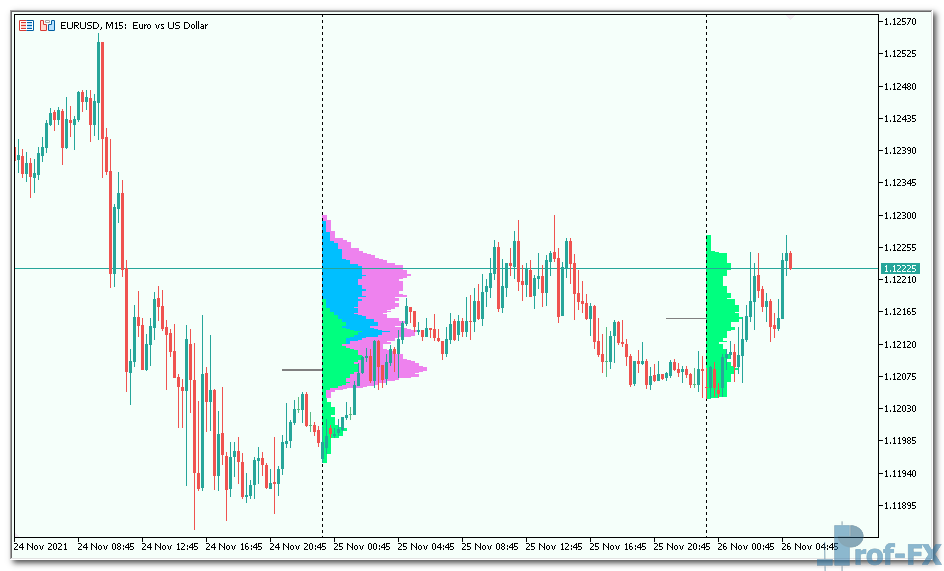
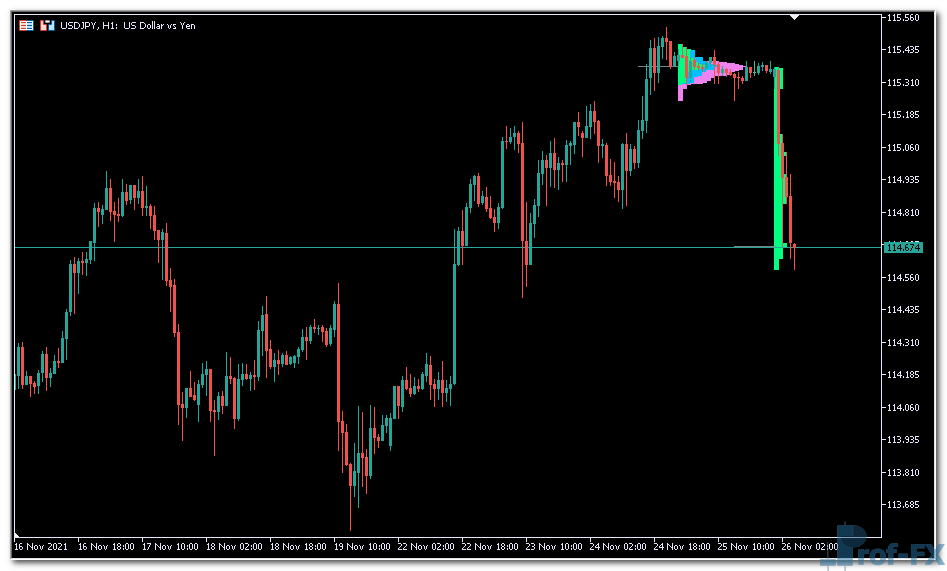
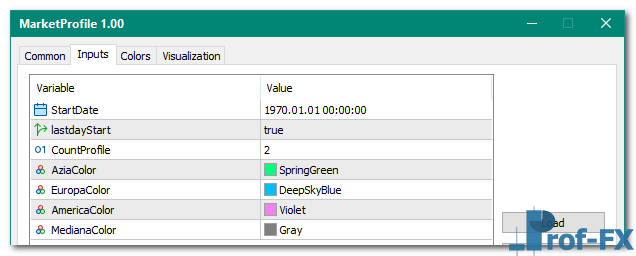
MarketProfile

MarketProfile mt5 indicator
MarketProfile mt5 indicator MarketProfile mt5 indicator

How To Install Metatrader 5 MarketProfile indicator

  1. Download and save the “MarketProfile indicator” to your desktop or any other folder located on your computer.
  2. Open your Metatrader 5 platform.
  3. Choose “File” then “Open Data Folder” (Ctrl + Shift + D) on your Metatrader 5 platform.
  4. Explore the following folder: MQL5 > Indicators.
  5. Copy and paste the “MarketProfile indicator” into this folder.
    Tip: Create subfolders inside the main MT5 Indicators folder to help keep your indicators better organized.
  6. Restart your Metatrader 5.
  7. MT5 custom indicators are stored by default in the custom indicator folder.
    To access these indicators, go to Top Menu > Insert > Indicators > Custom
  8. In order to add a custom indicator to any of your Metatrader 5 charts, you will need to select a forex chart with one mouse click, then go to Top Menu > Insert > Indicators > Custom > click the “MarketProfile” indicator.
  9. Done!

See a complete guide How To Install Metatrader 5 Custom Indicators

Free Download MarketProfile indicator for Metatrader 5

  • MarketProfile.zip
  • Size: 16.6 kb
  • Platform: MT5 | Format: .mql5/.ex5 | File: dir5mt5 | Request Remove!
Forex Advertising rectangle - headway
Forex Advertising Package
Gravatar Image
FX Script is a collective of skilled forex traders with extensive knowledge of MetaTrader indicators. Known for their expertise, they regularly contribute to Prof FX, offering practical trading tips and advanced strategies to guide traders towards success in the forex market.

Leave a Reply

Your email address will not be published. Required fields are marked *

Trade Double Top Pattern in Forex Trading

Mastering the double top pattern can significantly enhance a trader’s technical analysis toolbox. This versatile pattern is widely applicable, whether

Find High-Probability Forex Entries

What is a Forex Entry Point? A forex entry point refers to the specific price level at which a trader

AUD Australian Dollar

The Australian dollar (AUD) is considered to be a major currency in the Forex market. It is also one of

How to Trade with the Relative Strength Index (RSI)

The Relative Strength Index (RSI) is one of the most widely used indicators in technical analysis. It helps traders evaluate

What is the MACD Indicator

What is MACD? The Moving Average Convergence Divergence (MACD) is a technical indicator used to analyze the relationship between exponential moving

Fundamentals of Futures and Options Currency

Futures Trading Market The currency futures, a type of forward outright deals, are derived from the spot price. As a

Trading Psychology for Consistent Forex Success

Understanding Why Trading Psychology Matters More Than Any Single Trade When discussing forex trading, much has already been said about

Top 10 Candlestick Patterns

Candlestick patterns are among the most powerful and widely used tools in technical analysis. For forex traders—especially beginners—learning how to