
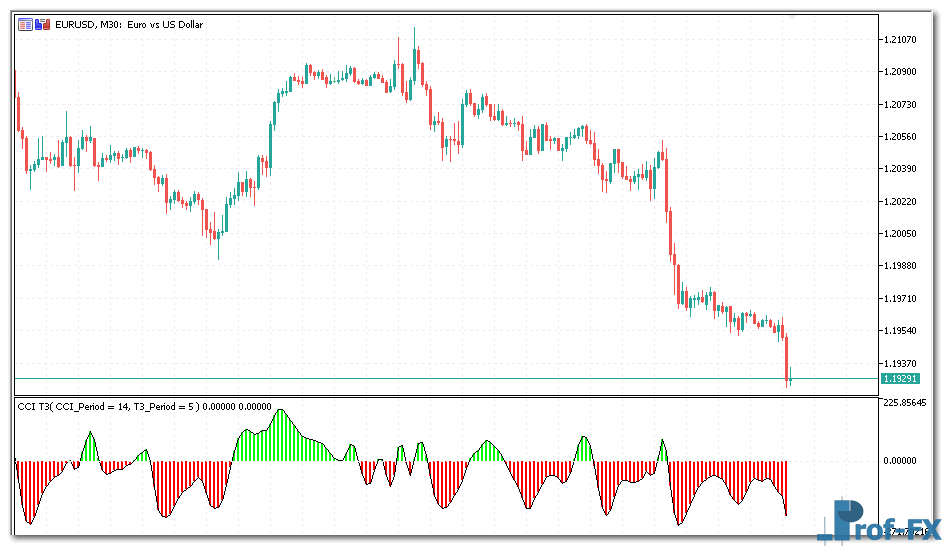
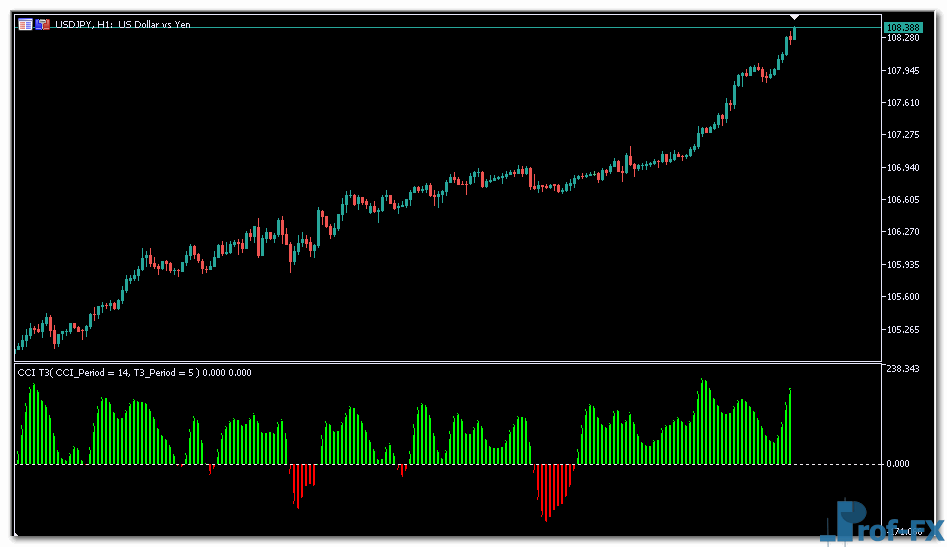
CCI T3

CCI T3 mt5 indicator
CCI T3 mt5 indicator CCI T3 mt5 indicator

How To Install Metatrader 5 CCI T3 indicator

  1. Download and save the “CCI T3 indicator” to your desktop or any other folder located on your computer.
  2. Open your Metatrader 5 platform.
  3. Choose “File” then “Open Data Folder” (Ctrl + Shift + D) on your Metatrader 5 platform.
  4. Explore the following folder: MQL5 > Indicators.
  5. Copy and paste the “CCI T3 indicator” into this folder.
    Tip: Create subfolders inside the main MT5 Indicators folder to help keep your indicators better organized.
  6. Restart your Metatrader 5.
  7. MT5 custom indicators are stored by default in the custom indicator folder.
    To access these indicators, go to Top Menu > Insert > Indicators > Custom
  8. In order to add a custom indicator to any of your Metatrader 5 charts, you will need to select a forex chart with one mouse click, then go to Top Menu > Insert > Indicators > Custom > click the “CCI T3” indicator.
  9. Done!

See a complete guide How To Install Metatrader 5 Custom Indicators

Free Download CCI T3 indicator for Metatrader 5

  • cci-t3-indicador.zip
  • Size: 29.8 kb
  • Platform: MT5 | Format: .mql5/.ex5 | File: dir1mt5 | Request Remove!
Forex Advertising rectangle - headway
Forex Advertising Package
Gravatar Image
FX Script is a collective of skilled forex traders with extensive knowledge of MetaTrader indicators. Known for their expertise, they regularly contribute to Prof FX, offering practical trading tips and advanced strategies to guide traders towards success in the forex market.

Leave a Reply

Your email address will not be published. Required fields are marked *

How to Trading Breakouts and Pullbacks

Trading Breakouts and Pullbacks This section examines two foundational trading strategies in forex: pullback trading and breakout trading. Each approach

Trading Psychology Guide to Missing Trades

Psychology is often the missing variable between consistent success and repeated failure. Every trader – regardless of experience – faces

Guide to Understanding Forex Slippage

What Is Slippage in Forex Trading? A Professional Explanation for New Traders Slippage is a natural and recurring phenomenon in

Forex Spread Trading Strategies and Practical Tips to Avoid Widening Spreads

Understanding and managing forex spreads is a critical skill for every trader, especially beginners. This article explores effective forex spread

Brazilian Real Currency

The Brazilian real currency (BRL) is considered to be an exotic currency in the Forex market. Brazil is the world’s seventh

Central Bank Intervention and Its Impact on Forex

Central bank intervention is one of the most powerful – and often misunderstood – forces in the foreign exchange market.

Top 3 Triangle Patterns Forex Traders Must Know

Triangle patterns come in three main variations and are a common sight in the forex market. These patterns provide traders

Retail Sales Report - Forex Calendar

Retail sales announcements report on how much money individual consumers are spending on retail goods. This is where the rubber