
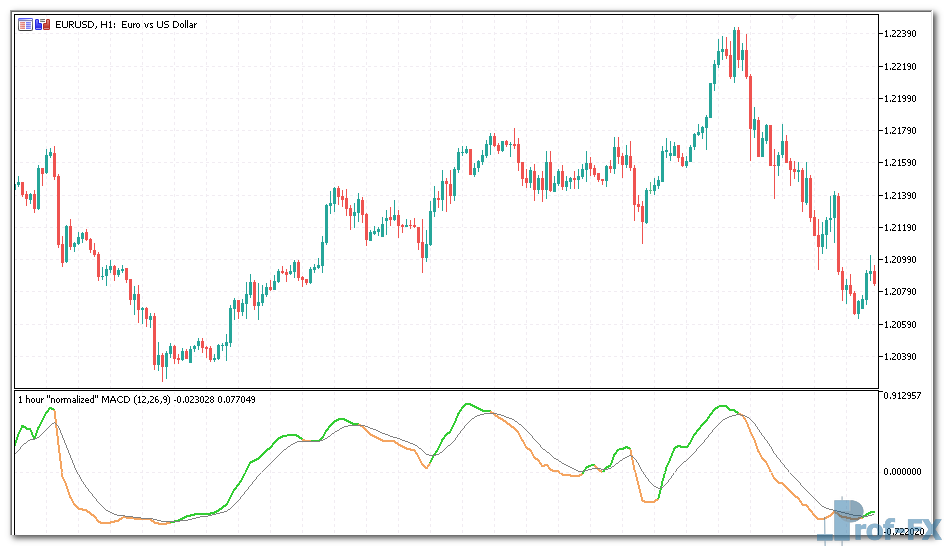
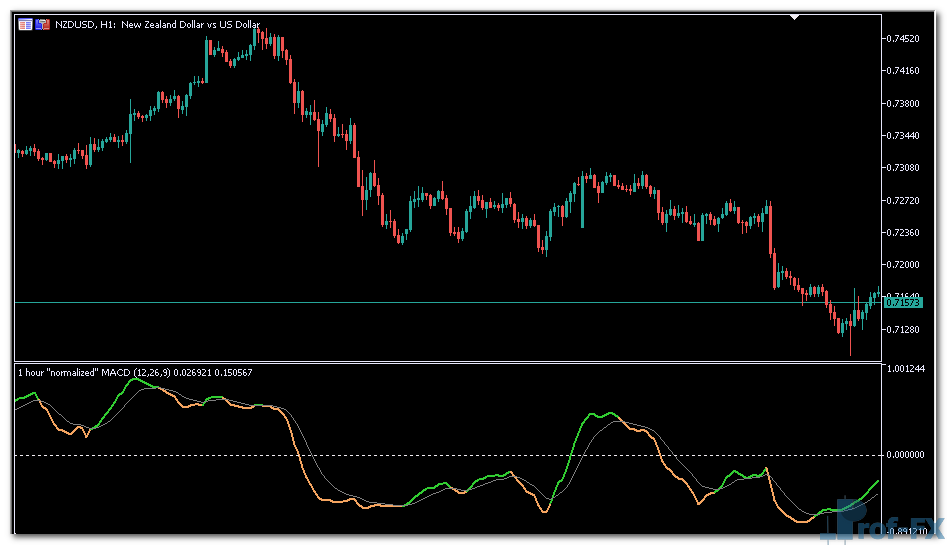
Normalized MACD

Normalized MACD mt5 indicator
Normalized MACD mt5 indicator Normalized MACD mt5 indicator

How To Install Metatrader Normalized MACD indicator

  1. Download and save the “Normalized MACD indicator” to your desktop or any other folder located on your computer.
  2. Open your Metatrader 5 platform.
  3. Choose “File” then “Open Data Folder” (Ctrl + Shift + D) on your Metatrader 5 platform.
  4. Explore the following folder: MQL5 > Indicators.
  5. Copy and paste the “Normalized MACD indicator” into this folder.
    Tip: Create subfolders inside the main MT5 Indicators folder to help keep your indicators better organized.
  6. Restart your Metatrader 5.
  7. MT5 custom indicators are stored by default in the custom indicator folder.
    To access these indicators, go to Top Menu > Insert > Indicators > Custom
  8. In order to add a custom indicator to any of your Metatrader 5 charts, you will need to select a forex chart with one mouse click, then go to Top Menu > Insert > Indicators > Custom > click the “Normalized MACD” indicator.
  9. Done!

See a complete guide How To Install Metatrader 5 Custom Indicators

Free Download Normalized MACD indicator for Metatrader 5

  • normalized-macd-indicator.zip
  • Size: 69.2 kb
  • Platform: MT5 | Format: .mql5/.ex5 | File: dir3mt5 | Request Remove!
Forex Advertising rectangle - headway
Forex Advertising Package
Gravatar Image
FX Script is a collective of skilled forex traders with extensive knowledge of MetaTrader indicators. Known for their expertise, they regularly contribute to Prof FX, offering practical trading tips and advanced strategies to guide traders towards success in the forex market.

Leave a Reply

Your email address will not be published. Required fields are marked *

The 10-step game plan for forex trading success

Trading is the hardest way to make easy money. I love this quote. If trading was easy, everyone would be

Candlestick Clues That Signal a Possible Forex Reversal

One of the most important skills a forex trader can develop is the ability to recognize early signs of a

Consumer Confidence Report

Consumer confidence announcements report on how confident the consumers within an economy are. Confident consumers tend to spend more because

Why Liquidity Plays a Critical Role in Forex Trading

Liquidity is often one of the first advantages that traders notice when entering the forex market. With an estimated daily

10 Costly Forex Trading Mistakes to Avoid

Understanding Common Forex Trading Mistakes and Why They Matter Human error is unavoidable in the forex market, especially among new

My 6 Step Trade Entry Process Explained

Last week, I tweeted what I see as my trade entry process. This was the tweet: For every trade, I

Technical Indicators Explained

Technical indicators are chart-based analytical tools designed to help forex traders better understand, interpret, and respond to price movement. They

Government interventions and currency manipulation are situa­tions in which a government, typically through its central bank, takes specific action in the