|
 |
 |

|
FATL PlusBack TT Indicator for MT4 – Precision Meets Flexibility in Technical Analysis
What Is the FATL PlusBack TT Indicator
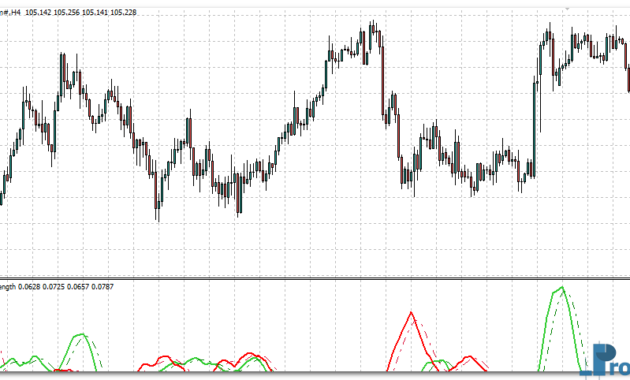
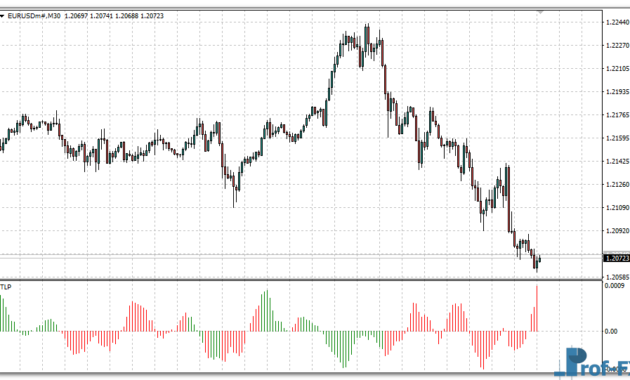
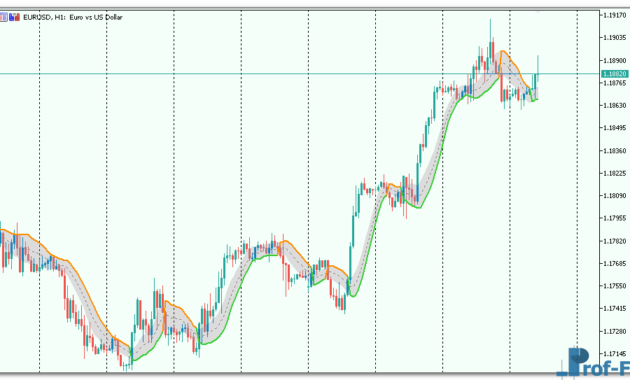
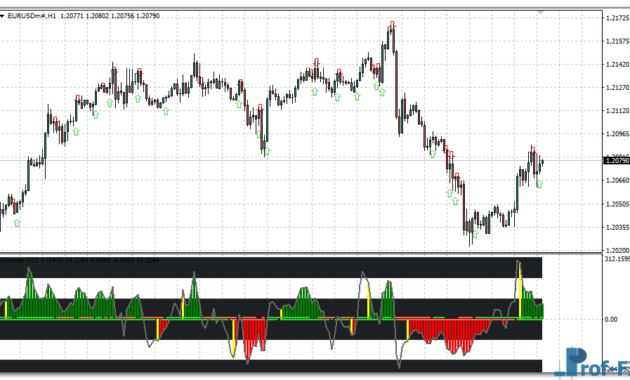
The FATL PlusBack TT Indicator for MT4 is a refined and powerful tool designed for traders who rely on technical indicators for forex strategies. Based on the Fast Adaptive Trend Line (FATL) concept, this indicator provides a smooth representation of market direction while incorporating flexible signal enhancements through additional moving average, RSI, and CCI calculations.
Originally created to help traders better visualize short-term market trends, FATL PlusBack TT goes beyond traditional trend indicators. It combines multiple layers of analysis—momentum, smoothing, and adaptive response—to deliver a more accurate picture of market structure. This makes it particularly useful for both discretionary traders and those building systematic strategies.
If you’ve been searching for best custom indicators for MT4, the FATL PlusBack TT deserves your attention. It’s not just a line on your chart—it’s a multi-dimensional trend recognition system that helps traders confirm entries, exits, and trend strength across different market conditions.
How It Works: FATL PlusBack TT Indicator
At its core, the FATL PlusBack TT Indicator applies a sophisticated weighted calculation to past price data to produce a smooth adaptive trend line. Unlike standard moving averages that apply equal or exponential weighting, the FATL algorithm uses a unique set of coefficients to better reflect the current market rhythm.
Here’s a breakdown of how it functions in practical trading:
1. Fast Adaptive Trend Line (FATL) Core
The FATL component is a mathematically optimized line that reacts quickly to price changes while filtering out noise. It identifies the underlying trend direction and helps traders distinguish between real reversals and temporary retracements. This makes it ideal for detecting early trend shifts—something many traders seek when refining their forex trading strategies.
2. PlusBack Functionality
The “PlusBack” parameter allows traders to shift the FATL line backward or forward relative to price. This unique flexibility helps visualize how historical signals align with current price action. By adjusting the PlusBack setting, traders can test how the indicator would have performed historically, which is useful for backtesting and strategy optimization.
3. Multi-Layer Confirmation
Beyond the base FATL line, the indicator incorporates three secondary elements:
- SigMA (Signal Moving Average): Smooths the FATL output using user-defined methods such as Simple, Exponential, or Smoothed MA. This helps confirm trend direction and reduces false signals.
- SigRSI (RSI-based Signal): Measures momentum strength by applying an RSI calculation to the FATL line itself. It then projects RSI deviations onto price, visually showing overbought or oversold regions.
- SigCCI (CCI-based Signal): Similar to SigRSI, this layer uses the Commodity Channel Index formula to highlight potential turning points, divergences, and exhaustion zones.
These combined filters transform the FATL PlusBack TT into a comprehensive technical analysis tool in forex, blending trend, momentum, and cycle analysis into one indicator.
FATL PlusBack TT Indicator Settings
The indicator’s flexibility lies in its customizable parameters, giving traders full control over how it behaves and responds to market conditions. Below are the main adjustable options and what they do:
- PlusBack (Shift): Controls how far the FATL line is offset on the chart. Increasing this value shifts the trend backward in time for historical comparison.
- FATLPrice: Defines which price type the indicator uses (Close, Open, High, Low, Median, Typical, or Weighted). Choosing the right one can affect sensitivity and signal smoothness.
- SigMA (Signal MA Period): Determines the period of the smoothing moving average applied to FATL. A higher value gives smoother signals; a lower value makes it more responsive.
- SigMAMode (MA Method): Allows selection among MA types (SMA, EMA, SMMA, LWMA). Each has different responsiveness and lag characteristics.
- SigRSI / SigCCI: Period settings for the RSI and CCI filters, respectively. These help identify momentum divergences or confirmations relative to the trend line.
- RSIKoef / CCIKoef: Coefficient multipliers that control how strongly RSI and CCI signals influence the plotted lines.
These parameters give traders the ability to combine indicators in forex trading, tailoring the FATL PlusBack TT to suit scalping, swing trading, or long-term trend analysis.
See also: Forex Kwan Smoother
Practical Use and Trading Approach
The FATL PlusBack TT Indicator for MT4 can be applied in a variety of trading strategies. Below are practical examples of how traders can integrate it into their daily setups:
1. Trend-Following Confirmation
Use the main FATL line and SigMA to confirm the market’s primary direction. When FATL is above SigMA, it indicates a bullish trend; when below, a bearish trend. This alignment helps traders stay with the dominant momentum.
2. Entry and Exit Optimization
The SigRSI and SigCCI overlays help identify moments when momentum starts to weaken or diverge from price. Traders can use these as early warnings of potential reversals or as confirmation for profit-taking zones.
3. Filtering Noise in Lower Timeframes
Scalpers and intraday traders often face challenges with market noise. The FATL PlusBack TT’s smoothing logic effectively filters out micro fluctuations, allowing traders to focus on meaningful movements.
4. Strategy Combination
The indicator integrates seamlessly with other tools—such as Bollinger Bands, MACD, or stochastic oscillators—to form technical indicators for forex strategies that combine multiple confirmation layers.
This makes it ideal for traders who prefer multi-indicator confluence setups.
Advantages of FATL PlusBack TT Indicator
Here’s why many traders consider this tool one of the best custom indicators for MT4:
- Adaptability: Adjusts dynamically to price changes while minimizing lag.
- Multi-signal Framework: Combines trend, momentum, and CCI logic in one system.
- Customizable Settings: Full control over smoothing methods and signal intensity.
- Visual Clarity: Clear, color-coded lines for easy interpretation.
- Strategic Flexibility: Works for all trading styles—from scalping to swing trading.
The indicator provides not just information but insight. It teaches traders to understand how momentum evolves and how trend shifts form—a valuable part of forex education for basics and intermediate traders alike.
Why Traders Should Try It
Consistency in trading doesn’t come from predicting the market—it comes from understanding it. The FATL PlusBack TT Indicator for MT4 helps traders see beyond raw price action, identifying when the market’s heartbeat changes direction.
By incorporating adaptive calculations and multi-layer filtering, it allows you to:
- Improve accuracy in entry timing
- Filter out false moves
- Identify genuine trend continuations or reversals
- Gain confidence in trade management decisions
In essence, it helps you improve forex trading results with indicators—not by complicating your chart, but by making the data more meaningful.
How to Instal “FATL PlusBack” Indicator for Metatrader 4
- Open your Metatrader 4 platform.
- Download and save the “FATL PlusBack” indicator to your desktop or any other folder located on your local computer.
- Choose “File” then “Open Data Folder” (Ctrl + Shift + D) on your Metatrader 4 platform.
- Explore the following folder: MQL4 > Indicators.
- Copy and paste the “FATL PlusBack” indicator into this folder.
- Restart Metatrader 4.
- “FATL PlusBack” indicators are stored by default in the custom indicator folder.
- To access these indicators, go to Top Menu > Insert > Indicators > Custom.
- In order to add a “FATL PlusBack” indicator to any of your Metatrader 4 charts, you will need to select a forex chart with one mouse click, then go to Top Menu > Insert > Indicators > Custom > click the “FATL PlusBack”.
- Done!
See a complete guide How To Install Metatrader 4 Custom Indicators
Final Thoughts
The FATL PlusBack TT Indicator stands as a versatile and intelligent tool for traders who value clarity, customization, and accuracy. Whether you’re a newcomer exploring forex education for beginners or an experienced trader optimizing algorithmic strategies, FATL PlusBack TT can play a central role in your technical toolkit.
It offers a unique blend of adaptability and precision, helping you stay aligned with the real market rhythm—something every successful trader strives for.
You can try this advanced tool directly by downloading it below and integrating it into your MT4 platform.
Free Download FATL PlusBack indicator for Metatrader 4
- fatl-plusback.zip
- Size: 27.9 kb
- Platform: MT4 | Format: .mql4/.ex4 | File: dir9mt4 | Request Remove!